Cloud Computing
What is Cloud Infrastructure? A Beginner's Guide
Cloud infrastructure is computing resources servers, storage, networking, and databases hosted in data centres and accessed over the internet. Instead of buying physical hardware and maintaining it in your own building, you rent what you need from a cloud provider like AWS, Azure, or Google Cloud, and you pay for what you use.
That is the simple definition. But understanding cloud infrastructure at a level that is useful whether you are starting a tech career, moving into DevOps, or trying to understand what your company's engineering team actually does requires knowing the components, how they fit together, and why this model has replaced traditional IT infrastructure for the majority of organisations.
This guide explains cloud infrastructure from the ground up, with no assumptions about your starting knowledge.
Why cloud infrastructure exists
Before cloud computing, every company that needed servers had to buy them. Physical machines, installed in server rooms or rented data centres. This required significant upfront capital, long procurement cycles (weeks to months for new hardware), and dedicated staff to maintain the equipment.
The problems with this model were substantial:
Capacity planning was a gamble. If you bought too few servers, your application would crash under traffic spikes. If you bought too many, you wasted money on idle hardware. Either way, you were guessing about future demand.
Scaling was slow. When a startup went viral and needed ten times the capacity overnight, they could not get it. Physical servers take weeks to procure, rack, configure, and deploy.
Maintenance was constant. Hardware fails. Disks die. Network cards malfunction. Air conditioning units break. Someone has to manage all of this, 24/7.
Geographic expansion was expensive. Serving users on another continent required building or renting data centre space in that region a multi-million-pound commitment.
Cloud infrastructure solves all of these problems. You provision servers in minutes, not weeks. You scale up and down based on actual demand. The cloud provider handles hardware maintenance. And you can deploy across dozens of geographic regions with a configuration change.
The four core components
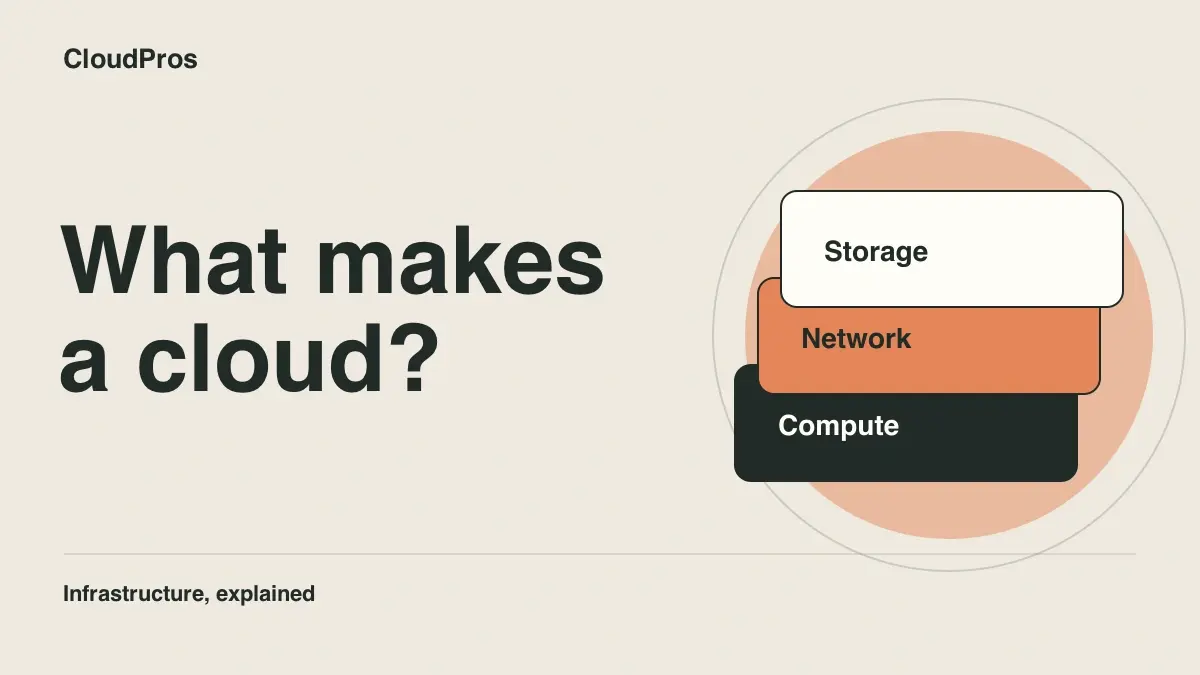
Every cloud infrastructure setup, from a simple website to a global streaming platform, is built from four fundamental components.
1. Compute
Compute is processing power the servers that run your applications. In cloud terms, these are virtual machines (VMs) that share physical hardware with other customers but operate as if they were dedicated machines.
What compute looks like in practice:
- Virtual machines (VMs): You specify the CPU, memory, and operating system you need. The cloud provider creates a virtual server in seconds. In AWS, this is EC2. In Azure, it is Virtual Machines. In GCP, it is Compute Engine.
- Containers: Lightweight, portable packages that include an application and all its dependencies. Run on container services like AWS ECS or EKS (Kubernetes). Containers start in seconds and use resources more efficiently than VMs.
- Serverless functions: You write code, upload it, and the cloud provider runs it when triggered. No servers to manage at all. In AWS, this is Lambda. You pay only when the code executes.
Real-world example: An e-commerce website runs on three EC2 instances behind a load balancer. During a flash sale, traffic triples. Auto-scaling launches six additional instances within minutes. After the sale, traffic drops, and the extra instances are automatically terminated. The company pays for the extra capacity only during the hours it was needed.
2. Storage
Storage is where data lives. Cloud storage comes in several forms, each optimised for different use cases.
Types of cloud storage:
- Object storage: For files, images, videos, backups, and any unstructured data. In AWS, this is S3. You store files as "objects" in "buckets." It scales infinitely, is highly durable (99.999999999% durability on S3), and costs fractions of a penny per gigabyte per month.
- Block storage: Like a virtual hard drive attached to a virtual machine. In AWS, this is EBS. Used for databases, application data, and anything that needs fast, low-latency access. More expensive than object storage but faster.
- File storage: Shared file systems that multiple servers can access simultaneously. In AWS, this is EFS. Used when multiple application instances need to read and write the same files.
Real-world example: A photo-sharing application stores user uploads in S3 (cheap, durable, scalable). The application database runs on an EBS volume attached to an EC2 instance (fast access). Log files are stored in S3 with lifecycle policies that automatically move them to cheaper storage after 30 days and delete them after a year.
3. Networking
Networking is the plumbing that connects everything servers to each other, servers to databases, servers to the internet, and users to your application.
Key networking concepts:
- Virtual Private Cloud (VPC): Your own isolated network in the cloud. You define the IP address ranges, create subnets, and control what can communicate with what. Think of it as your own private data centre network, but virtual.
- Subnets: Divisions within your VPC. Public subnets can reach the internet. Private subnets cannot (they are for databases and internal services that should not be directly accessible from outside).
- Load balancers: Distribute incoming traffic across multiple servers. If one server fails, the load balancer sends traffic to the healthy ones. This provides both performance (spreading the load) and reliability (surviving server failures).
- DNS: Translates domain names (like joincloudpros.com) into IP addresses. Cloud DNS services (AWS Route 53, Azure DNS, Google Cloud DNS) let you manage domain routing programmatically.
- Security groups and firewalls: Rules that control what traffic is allowed in and out of each resource. You define which ports are open, which IP addresses can connect, and which services can communicate with each other.
Real-world example: A typical web application has a VPC with two types of subnets. Public subnets contain the load balancer and web servers these are accessible from the internet. Private subnets contain the database and internal services these can only be reached from within the VPC. A security group on the database allows connections only from the application servers, not from the internet directly.
4. Databases
Databases are managed services for storing and querying structured data. Instead of installing and maintaining database software on your own servers, cloud providers offer databases as a service.
Types of managed databases:
- Relational databases (SQL): For structured data with relationships. AWS RDS supports PostgreSQL, MySQL, MariaDB, and others. The cloud provider handles backups, patching, replication, and failover.
- NoSQL databases: For flexible, schema-less data. AWS DynamoDB, Azure Cosmos DB. Designed for high-throughput, low-latency access patterns.
- In-memory databases: For caching and real-time data. AWS ElastiCache (Redis, Memcached). Extremely fast because data is stored in memory rather than on disk.
Real-world example: An online learning platform uses RDS PostgreSQL for student records, course data, and enrolment information (structured, relational data). It uses ElastiCache Redis for session management and caching frequently accessed course content (fast, in-memory access). It uses DynamoDB for activity logs and analytics events (high-volume, flexible schema).
IaaS vs PaaS vs SaaS: the three service models
Cloud services are categorised by how much the provider manages for you. Understanding this spectrum helps you choose the right level of abstraction for each use case.
Infrastructure as a Service (IaaS)
What you get: Raw computing resources virtual machines, storage, networking. You manage the operating system, runtime, application, and data.
Examples: AWS EC2, Azure Virtual Machines, Google Compute Engine.
Who uses it: DevOps engineers, system administrators, and organisations that need full control over their infrastructure. IaaS is the most flexible option but requires the most management effort.
Analogy: Renting an empty flat. The landlord provides the building (physical infrastructure), but you furnish it yourself (operating system, applications, configuration).
Platform as a Service (PaaS)
What you get: A platform to deploy and run applications. The provider manages the servers, operating system, and runtime. You manage the application and data.
Examples: AWS Elastic Beanstalk, Heroku, Google App Engine, Azure App Service.
Who uses it: Developers who want to deploy applications without managing infrastructure. PaaS abstracts away the servers and lets you focus on code.
Analogy: Renting a furnished flat. The landlord provides the building and the furniture (servers, operating system, runtime). You just bring your belongings (application code and data).
Software as a Service (SaaS)
What you get: A complete application. The provider manages everything infrastructure, platform, application, and updates.
Examples: Gmail, Slack, Salesforce, Notion, Zoom.
Who uses it: End users and businesses that need software without managing any infrastructure. You sign up, log in, and use it.
Analogy: Staying in a hotel. Everything is provided and maintained for you. You just show up and use it.
How the models compare
| Aspect | IaaS | PaaS | SaaS |
|---|---|---|---|
| You manage | OS, runtime, app, data | App and data | Nothing (just use it) |
| Provider manages | Hardware, virtualisation, networking | Hardware, OS, runtime, scaling | Everything |
| Flexibility | Maximum | Moderate | Minimal |
| Management effort | High | Medium | None |
| Typical user | DevOps/infrastructure teams | Developers | Business users |
| Example | AWS EC2 | Heroku | Gmail |
DevOps engineers primarily work with IaaS, managing and automating the full infrastructure stack. Understanding all three models helps you make informed decisions about when to manage infrastructure yourself and when to use higher-level services.
The major cloud providers
Three companies dominate the cloud infrastructure market. Each offers hundreds of services, but the core capabilities are similar.
Amazon Web Services (AWS)
Market share: Approximately 32%
Strengths: The largest and most mature cloud platform. The broadest range of services (200+). The most extensive global infrastructure (over 30 regions). The most job postings requiring AWS skills. The most comprehensive free tier for learning.
Best known for: EC2 (compute), S3 (storage), RDS (databases), Lambda (serverless), EKS (Kubernetes), CloudWatch (monitoring).
Microsoft Azure
Market share: Approximately 23%
Strengths: Deep integration with Microsoft products (Windows Server, Active Directory, Office 365). Strong presence in enterprise and government. Growing rapidly, especially in hybrid cloud (combining on-premises and cloud infrastructure).
Best known for: Azure Virtual Machines, Azure DevOps, Azure Active Directory, Azure Kubernetes Service, Azure SQL Database.
Google Cloud Platform (GCP)
Market share: Approximately 11%
Strengths: Leading in data analytics, machine learning, and Kubernetes (Google created Kubernetes). Strong developer experience. Competitive pricing. Growing presence in AI/ML workloads.
Best known for: Google Kubernetes Engine (GKE), BigQuery (data analytics), Vertex AI (machine learning), Cloud Functions (serverless).
Which provider to learn first
Start with AWS. The reasons are practical:
- Job market: More DevOps job postings require AWS than Azure and GCP combined.
- Free tier: AWS offers 12 months of free-tier access to core services, enough to build real projects.
- Transferable knowledge: Cloud concepts are the same across providers. VPC on AWS maps to VNet on Azure and VPC on GCP. EC2 maps to Azure VMs and Compute Engine. Learning one well makes learning the others straightforward.
- Community and resources: AWS has the largest community, the most tutorials, and the most documentation.
For a detailed comparison of all three providers, read our AWS vs Azure vs GCP guide.
Why cloud infrastructure matters for DevOps
Cloud infrastructure is not just relevant to DevOps. It is foundational. Here is why.
DevOps automates infrastructure. The core DevOps practice of Infrastructure as Code (IaC) means defining cloud resources servers, networks, databases, load balancers in configuration files (Terraform, CloudFormation) instead of creating them through web consoles. You cannot automate infrastructure you do not understand. For a beginner's introduction to IaC, read our Terraform for beginners guide.
CI/CD pipelines run on cloud infrastructure. Every CI/CD pipeline needs compute resources to build, test, and deploy code. These resources are cloud-based whether it is GitHub Actions runners, Jenkins agents on EC2, or Kubernetes-based build systems.
Containers run on cloud infrastructure. Docker containers and Kubernetes clusters run on cloud compute resources. Managing containerised applications at scale requires understanding the underlying cloud networking, storage, and compute. See Docker vs Kubernetes and Kubernetes explained simply for more detail.
Monitoring observes cloud infrastructure. Prometheus, Grafana, and CloudWatch monitor the health, performance, and cost of cloud resources. Setting up effective monitoring requires understanding what you are monitoring which means understanding the infrastructure.
Security protects cloud infrastructure. IAM policies, network security groups, encryption, and access controls are all cloud infrastructure concepts. DevOps engineers configure and automate these security measures as part of their daily work.
In practice, over 90% of DevOps job postings require cloud platform experience. Understanding cloud infrastructure is not optional for a DevOps career it is the foundation everything else is built on. For the complete path into DevOps, see how to become a DevOps engineer.
How to start learning cloud infrastructure
The best way to learn cloud infrastructure is by building things. Theory is necessary, but it becomes real only when you provision resources, break them, and fix them yourself.
Step 1: Create a free AWS account
AWS offers a free tier that includes 12 months of access to core services (EC2, S3, RDS, Lambda) with usage limits. This is enough to build multiple projects without spending money.
Step 2: Build a simple web application infrastructure
Start with the basics:
- Create a VPC with public and private subnets
- Launch an EC2 instance in the public subnet
- Install a web server (Nginx or Apache)
- Create an S3 bucket for static files
- Set up security groups to control access
This exercise teaches you compute, networking, storage, and security in a single project.
Step 3: Add a database
Create an RDS PostgreSQL instance in the private subnet. Connect your web application to the database. Configure security groups so only the application server can access the database. This teaches managed database services and network security.
Step 4: Add a load balancer and auto-scaling
Put an Application Load Balancer in front of two EC2 instances. Configure auto-scaling to add instances when CPU usage exceeds 70% and remove them when it drops below 30%. This teaches high availability and elastic scaling the core value proposition of cloud infrastructure.
Step 5: Define everything in Terraform
Recreate the entire infrastructure from steps 2-4 using Terraform. Write the configuration files. Run terraform plan to see what will be created. Run terraform apply to create it. Run terraform destroy to tear it down. Recreate it from scratch with a single command. This is the moment cloud infrastructure clicks.
Step 6: Add monitoring
Deploy Prometheus and Grafana (on EC2 or in containers). Create dashboards that show server health, application metrics, and resource utilisation. Configure alerts for when things go wrong. This completes the picture you can now provision, manage, and observe cloud infrastructure.
Each step builds on the previous one. By the end, you have a portfolio project that demonstrates practical cloud infrastructure skills exactly what employers look for. For the complete learning path that covers all of this in a structured programme, explore the cloud computing career guide.
Cloud infrastructure in the real world
Understanding components is important. Understanding how they work together in production is what makes you valuable.
A typical production setup:
A web application serving 100,000 daily users might use:
- A VPC with public and private subnets across three availability zones (for resilience)
- An Application Load Balancer distributing traffic across multiple instances
- An ECS cluster running Docker containers (or EKS for Kubernetes)
- An RDS PostgreSQL database with a read replica and automated backups
- An ElastiCache Redis cluster for session management and caching
- S3 buckets for user uploads, static assets, and log storage
- CloudWatch for logging and basic monitoring, Prometheus and Grafana for detailed metrics
- IAM roles and policies controlling what each service can access
- Terraform defining all of the above as code, deployed through a CI/CD pipeline
Every component listed above maps to the four core building blocks: compute, storage, networking, and databases. The complexity comes from how they connect, how they scale, how they recover from failure, and how they are secured. That is what DevOps engineers manage.
Your next step
Cloud infrastructure is learnable. It is not abstract computer science theory it is practical, hands-on, and directly applicable to real jobs. The best way to start is to create a free AWS account and build something today. A single EC2 instance running a web server teaches you more about cloud infrastructure than hours of reading.
The demand for cloud infrastructure skills is growing faster than the supply of engineers who have them. Whether you are starting a DevOps career, transitioning from another tech role, or simply trying to understand how modern technology works, cloud infrastructure knowledge is one of the highest-value skills you can develop in 2026.
Frequently asked questions
What is cloud infrastructure in simple terms?
Cloud infrastructure is the collection of computing resources servers, storage, networking, and databases that are hosted in data centres and accessed over the internet instead of being physically located in your office. Instead of buying and maintaining your own hardware, you rent what you need from a cloud provider (AWS, Azure, GCP) and pay based on usage.
What are the main components of cloud infrastructure?
The four main components are: compute (virtual servers that run applications), storage (places to save files and data), networking (the connections between services, users, and the internet), and databases (managed systems for storing and querying structured data). Everything else in cloud computing builds on these four foundations.
What is the difference between IaaS, PaaS, and SaaS?
IaaS (Infrastructure as a Service) gives you raw computing resources you manage the servers, operating systems, and applications. PaaS (Platform as a Service) gives you a platform to deploy applications the provider manages the servers and operating systems. SaaS (Software as a Service) gives you a complete application the provider manages everything. Each level trades control for convenience.
Do I need to learn cloud infrastructure for DevOps?
Yes, cloud infrastructure is essential for DevOps. Over 90% of companies use cloud services, and virtually every DevOps job posting requires cloud platform experience. Understanding compute, storage, networking, and managed services is foundational to building CI/CD pipelines, managing containers, and defining infrastructure as code.
Which cloud provider should I learn first?
Start with AWS. It holds approximately 32% of the cloud market, has the most job postings requiring it, and offers a generous free tier for learning. The concepts you learn on AWS (virtual servers, networking, storage, access control) transfer directly to Azure and GCP. Learning one platform well is better than knowing three superficially.

DevOps & SRE engineer · CloudPros instructor
Olakunle teaches the CloudPros DevOps programme, drawing on more than 11 years of DevOps and site reliability engineering experience.