Learn cloud engineering.
Build on AWS.

Build job-ready cloud and DevOps skills in 20 weeks, including a bonus MLOps week. Learn to build AWS infrastructure, automate deployments and solve problems, with an instructor to guide you.

Live weekend classes. Hands-on projects. Career support.

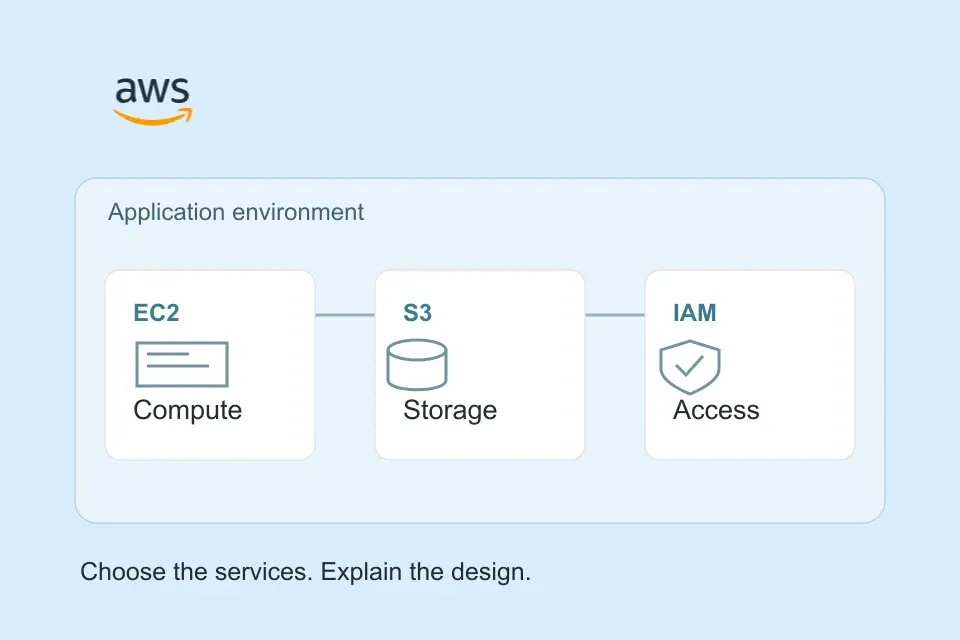
An AWS application diagram connecting identity, networking, compute and storage
Your first cloud environment starts here.Networking, compute, storage and access—all working together.
20 weeks
16 core, 3 recap and a bonus MLOps week
Live online
Weekend teaching in English
Hands-on projects
Build, deploy and troubleshoot
Class recordings
Revisit lessons as you practise

A cloud engineering course you can put to work.

Five modules take you from the foundations to building, deploying and running applications, with a recap week closing each of the first three. AWS is the cloud platform you'll work with throughout the programme.

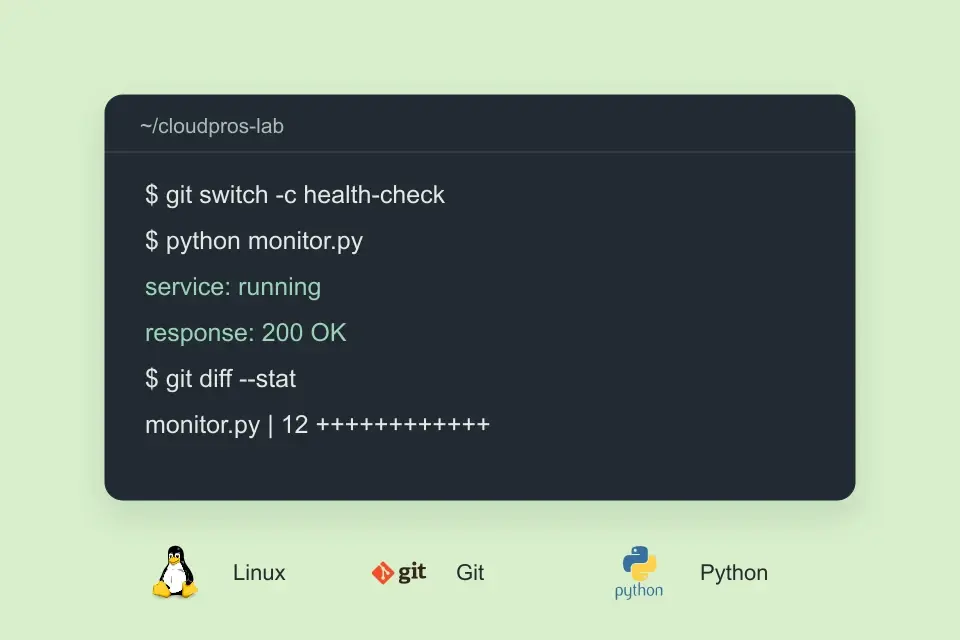
LinuxGitPythonDockerAWSTerraformKubernetes

Module 1 · Weeks 1–5

Foundations

Use the command line, troubleshoot networks, track changes with Git and write your first Python automation scripts. Week 5 is a recap week to consolidate the foundations.

What you'll cover
  • Work with files, permissions, processes and shell scripts on Linux.
  • Diagnose DNS, routing and connectivity problems.
  • Use Git branches and pull requests, then automate tasks in Python.
  • Bring it together in the Week 5 recap before moving on.

Put it into practiceWrite automation scripts, investigate network problems and collaborate through Git.

Module 2 · Weeks 6–10

Containers, CI/CD & AWS

Package applications with Docker and Compose, build pipelines that test, build and deploy your code, and start working with AWS. Week 10 is a recap week.

What you'll cover
  • Build container images and connect services with Docker Compose.
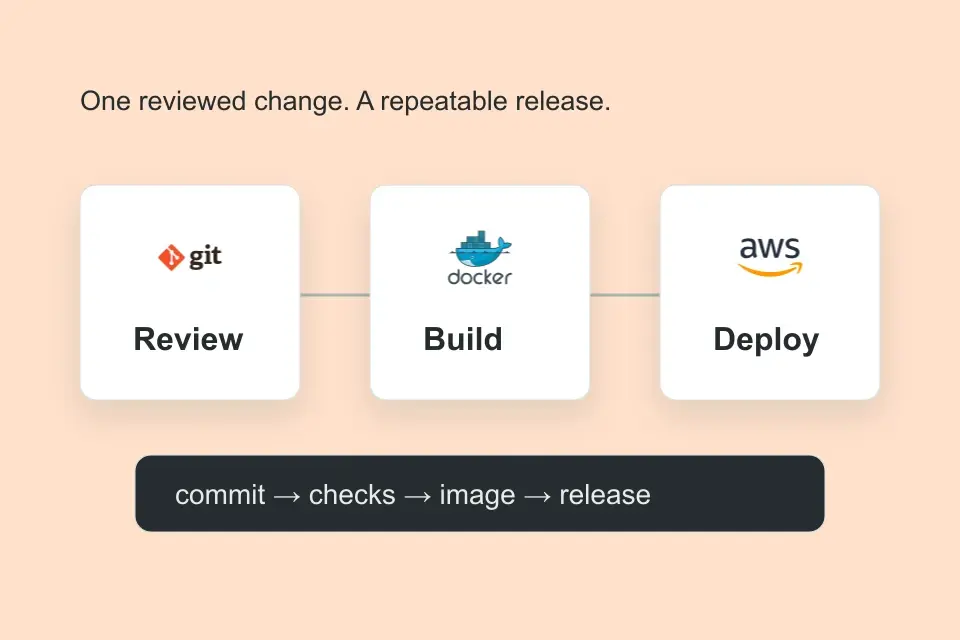
  • Use GitHub Actions to test, build, scan and deploy a change.
  • Set up IAM access, VPC networks, EC2 compute and S3 storage.
  • Review containers, pipelines and AWS in the Week 10 recap.

Put it into practiceCreate a containerised application, a delivery pipeline with GitHub Actions and your first AWS environment.

Module 3 · Weeks 11–15

Cloud Automation, Terraform & Kubernetes

Automate AWS with Python, design an application architecture, define infrastructure in code and run containers in a cluster. Week 15 is a recap week.

What you'll cover
  • Automate AWS tasks with Python and Boto3.
  • Design an application architecture and explain access, scaling and cost decisions.
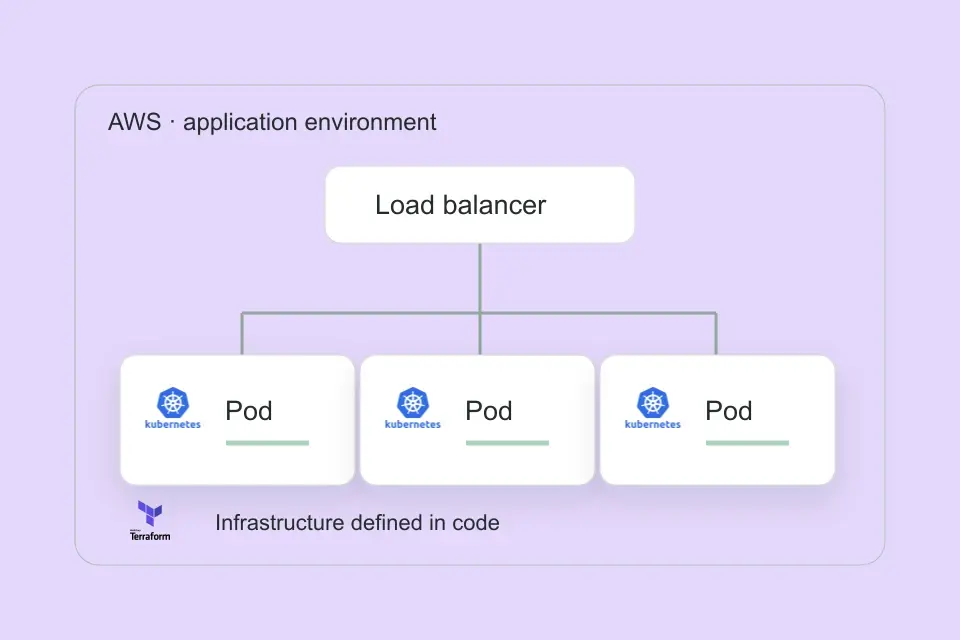
  • Create reusable Terraform modules and work with environments and state.
  • Run application workloads on Kubernetes with services and ingress, then consolidate it all in the Week 15 recap.

Put it into practiceAutomate AWS tasks, explain an architecture diagram, provision infrastructure with Terraform and manage Kubernetes workloads.

Module 4 · Weeks 16–19

Running in Production

Manage releases with Helm and GitOps, trace an incident through metrics, logs and traces, and protect your cluster. Then review everything you have built and talk through your next role.

What you'll cover
  • Package releases with Helm and manage deployments through ArgoCD.
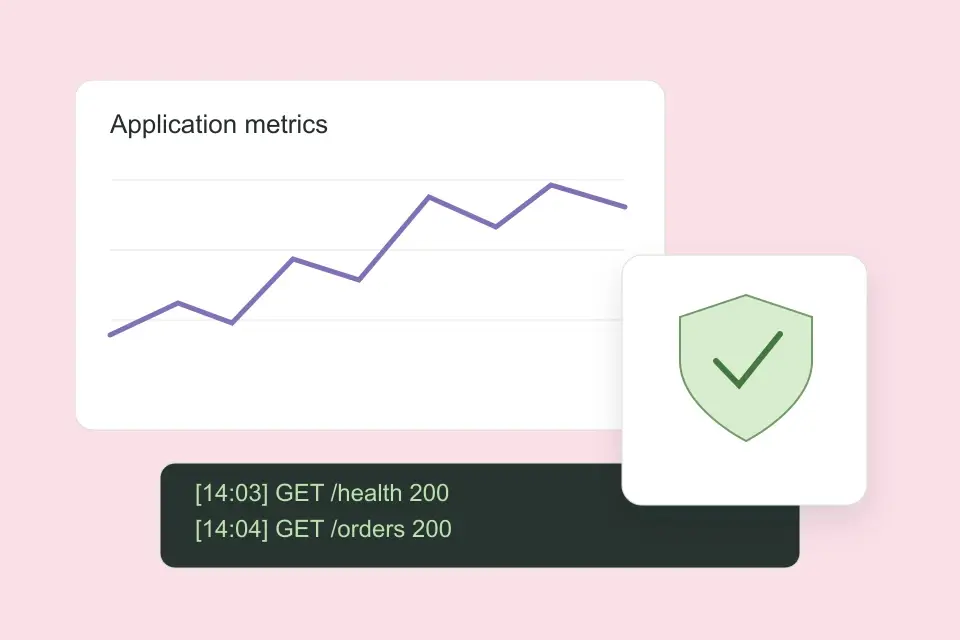
  • Follow an incident through metrics, logs and traces with Prometheus, Grafana, Loki, Tempo and OpenTelemetry.
  • Apply access controls, network policies and secrets management.
  • Review your projects and prepare for conversations about engineering teams and your next role.

Put it into practiceRelease through ArgoCD, investigate an incident, apply access controls and secrets management, and explain your work to employers.

Module 5 · Week 20

Bonus: MLOps

A bonus week, week 20, that applies your deployment and operations skills to machine learning systems.

What you'll cover
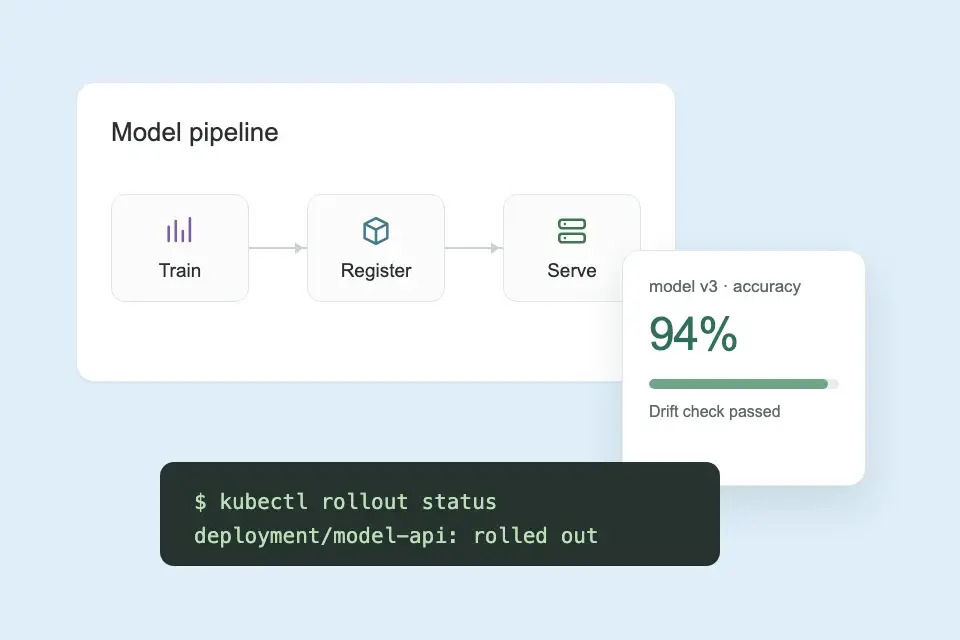
  • See how data, training and model delivery fit into the ML lifecycle.
  • Understand experiment tracking, model registries and drift.
  • Apply Docker, Kubernetes, GitOps and observability to model serving.

Put it into practiceUnderstand how MLOps extends your DevOps skills into AI infrastructure.

20 weeks in total: 16 core weeks, 3 recap weeks (weeks 5, 10 and 15) and a bonus MLOps week in week 20.

View the full curriculum

Build work you can show.

These projects come from the CloudPros syllabus. You'll write the code, test the system and document the decisions behind it.

AWSPythonCloud infrastructure
architecture.svgPublic web tier · private application & data

Build a multi-tier AWS environment

Put a web application, API and database in the right parts of a network. Decide what should be reachable from the internet and what should stay private.

What you'll have to showA working environment, a network diagram and notes explaining your subnet, routing and security decisions.

GitDockerApplication delivery
deploy.ymlTest → build → scan → deploy

Create a repeatable deployment

Package an application in Docker and build a GitHub Actions workflow that runs checks, builds an image and deploys it. Add smoke tests before promoting a release.

What you'll have to showA Dockerfile, a working delivery pipeline and a documented deployment process.

TerraformAWSInfrastructure automation
main.tfVPC · compute · storage · security groups

Manage infrastructure in code

Create Terraform modules for your application's AWS resources. Use input variables and a reviewed plan to make infrastructure changes repeatable.

What you'll have to showReusable modules, environment configuration and a pipeline that plans changes before applying them.

KubernetesDockerOperations & troubleshooting
incident-notes.mdSymptom · investigation · fix · verification

Find and fix a production problem

Deploy your application to Kubernetes, add monitoring and investigate a failure. Follow the evidence from a dashboard to the logs and traces that explain it.

What you'll have to showKubernetes configuration, monitoring dashboards and a written incident investigation.

Want to see what makes a strong project? Read the portfolio project checklist.

What our graduates have to say.

Hear how CloudPros helped them get to grips with cloud and DevOps, build confidence and take their next step.

5/5 from 50+ reviewsRead all student reviews

How the bootcamp changed my career

Working through real-world tasks

Breaking into cloud from a different field

From QA to DevOps engineer

Building confidence with the tools

Practical learning that sticks

The full journey, from start to hired

The community made the difference

Landing a role in cloud infrastructure

Sharpening your skills on the job

"I was pretty intimidated by DevOps before this. Olakunle has this way of making everything feel manageable. By the end I was comfortable with Git, AWS, Jenkins, all the stuff that used to scare me."
"Best investment I've made in my career. Kunle doesn't just teach you commands, he makes sure you actually get what's happening under the hood. The GitHub Actions and Terraform modules were game changers."
"I tried learning DevOps on my own for months and got nowhere. Then I found Kunle's bootcamp and everything clicked. He explains things in a way that just makes sense, never rushing through the hard parts. Got my first DevOps job three weeks after finishing."
Explore all graduate stories

Live teaching. Time to practise. Help when you need it.

Weekend classes give your learning a structure. Between sessions, you work on the exercises and come back with questions from your own setup.

Learn it live

Watch Olakunle build and explain a system. Ask why a service was chosen, what a command changes or how to approach a failure while the lesson is happening.

Build it yourself

Put the lesson to work in a practical challenge. Use the recording when you need to revisit a step, then test your own setup and keep the work in Git.

Work through the questions

Bring the part that did not work, explain what you tried and get instructor feedback. Learn from other people's questions in a class of up to 15.

Olakunle Abiola, CloudPros cloud and DevOps instructor
Olakunle AbiolaDevOps & SRE engineer · 11+ years of experience

Learn with someone who does the work.

Olakunle Abiola, known as The DevOps Dude, brings more than 11 years of DevOps and site reliability engineering experience into the classroom.

He'll take you through the thinking behind an AWS architecture, the steps in a deployment and the questions to ask when a system breaks. You get to see the process and ask about the parts that are new to you.

With a maximum of 15 learners, there's room to work through a difficult topic and get feedback on your approach.

Meet your instructor

Prepare for your next role.

Learn the technical skills and practise explaining them. Your course projects give you examples to discuss when applying for cloud, infrastructure and DevOps roles.

CV and résumé reviews

Get help presenting your experience and technical work clearly. Show what you built, which tools you used and the decisions you made.

LinkedIn profile support

Bring your cloud skills, project links and previous experience together so people can understand the work you want to do next.

Mock interviews

Practise talking through an architecture, a deployment or a problem you investigated. Get feedback on how you explain your reasoning.

Explore the cloud engineer career roadmap

You can start from where you are.

You don't need previous cloud experience or a computer science degree. Bring a laptop, internet access and time to practise.

New to tech

Start with the command line, networking and Git. Python is taught from the foundations, with exercises you'll use later for cloud automation.

Moving from IT or support

Build on the troubleshooting you already do. Learn to manage infrastructure with code, automate repetitive work and deploy applications.

Already writing software

Understand how your application runs in the cloud. Work with containers, networks, delivery pipelines and the monitoring that helps you keep it running.

Join the classroom from your country.

The same live course, with local guidance on class times, study options and preparing for your next role. Teaching is in English and recordings are included.

USA

Learn to build AWS infrastructure and automate deployments. Prepare for technical interviews with hands-on projects, résumé reviews and mock interviews.

Course details for USA

UK

Join live weekend classes from the UK. Build AWS projects during the course, with CV reviews and mock interviews to prepare for your next role.

Course details for UK

Canada

Build AWS and automation projects in a small English-speaking class. Get help with your résumé and interviews as you prepare for roles in your province.

Course details for Canada

Australia

Build and troubleshoot cloud infrastructure with an experienced instructor. Check sessions in your Australian timezone and revisit lessons through recordings.

Course details for Australia

Ireland

Learn AWS networking and automation through live weekend classes. Prepare your CV and interview examples using the projects you build, with sessions planned in Dublin time.

Course details for Ireland

Nigeria

Build job-ready AWS and DevOps skills through live teaching and practical work. Get CV and interview support, with recordings you can return to as you practise.

Course details for Nigeria

Before you join.

Classes, projects, experience and next-cohort details.

Can I build job-ready cloud skills in 20 weeks?

Yes. Learn through live classes, practical projects and instructor feedback. CV and LinkedIn reviews and mock interviews help you prepare to present your work to employers.

Is this a cloud engineering course or a DevOps bootcamp?

Both. You learn to build AWS infrastructure, automate it and deploy applications. The programme runs for 20 weeks in total: 16 core weeks, 3 recap weeks and a bonus MLOps week.

Can I join without cloud computing experience?

Yes. You start with Linux, networking, Git and Python before moving into AWS. Bring a laptop, internet access and time to practise.

Does the course teach AWS, Azure or Google Cloud?

The practical cloud lessons use AWS. You learn networking, access control, infrastructure automation and troubleshooting—skills you can build on when working with other cloud platforms.

What projects will I build during the cloud engineering course?

You'll build a multi-tier AWS environment, a containerised application and a CI/CD pipeline. You'll also create reusable Terraform modules, deploy to Kubernetes and investigate application problems with metrics, logs and traces. Keep your code, architecture diagrams and troubleshooting notes together so you can walk someone through your work.

Can I study alongside a full-time job?

Yes. Classes run live on weekends, with practical exercises to work through between sessions. Recordings are included so you can revisit a demonstration while you practise. The confirmed 2027 timetable will be shared before enrolment.

Who teaches the cloud engineering course?

Olakunle Abiola, known as The DevOps Dude, teaches the programme. He brings more than 11 years of DevOps and site reliability engineering experience, with live demonstrations, practical challenges and time to work through questions in a class of up to 15 learners.

What career support is included?

You get CV and résumé reviews, help with your LinkedIn profile and mock interviews. Use your AWS, automation and deployment projects to practise explaining your technical decisions, the problems you solved and the work you can bring to a team.

What do I need before the course starts?

Bring a laptop, a reliable internet connection and time to practise. The course begins with Linux, networking, Git and Python, so you do not need previous cloud experience. AWS account setup, billing alerts and lab preparation are covered as you reach the cloud modules.

Can I join from outside the UK?

Yes. CloudPros teaches live online in English, with learners joining internationally. Explore the USA, UK, Canada, Australia, Ireland and Nigeria course pages for local guidance. Check the confirmed session times in your timezone before enrolment; recordings are included.

Will I get an AWS certification?

The course teaches practical AWS skills. AWS certification exams are separate and are not included in the course fee.

What are the fees and dates for the next cloud course?

Join the free 2027 waitlist for dates, tuition and payment options. We'll share the full details, including any separate lab costs, before enrolment.